It looks like the behaviour of the loft or cloth surface have changed
Options are not use the bevel in the loft, but add extra circles to make that part.
or maybe us a Lathe
M
Latest posts made by Mart1jn
-
RE: Cloth Surface Thickness Causing Bevel Issues on Loftposted in Question & Answers
-
RE: startup layout issue in 2027posted in Question & Answers
@Delphis
Thanks, that is better indeed. -
RE: startup layout issue in 2027posted in Question & Answers
I don't think it's a layout thing. In R2027 they've changed how selected objects are displayed.
Among others, it includes previews of polygon / point / edge selections of all objects. including backsides of objects. From the screenshots you posted, It seems that C4D is working as intended -
RE: Simple Collision Mesh for Rigid bodyposted in Question & Answers
A possibility is to simulate the simplified mesh in a cloner. Then have a separate cloner for the high resolution mesh. Set that one to mode:object and Distribution:Axis. That new cloner will follow the simulated clones.
-
RE: Emitters not pulsing at the same time.posted in Question & Answers
Try disabling the Continuous Option in the emission tab.
When you enable it it will also emit particles within the duration of a single frame. When you disable it it will emit exactly on the start of a frame. -
RE: Timeline, manipulating a couple of framesposted in Question & Answers
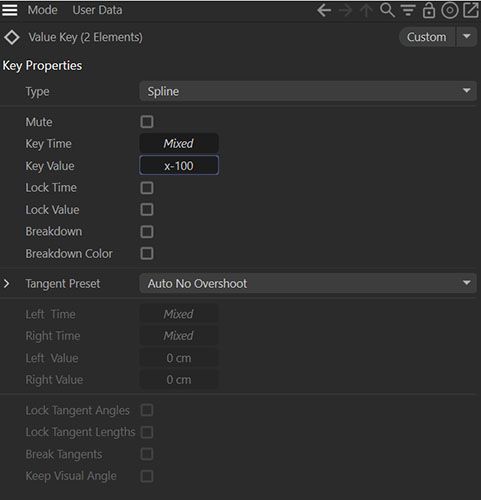
I don't know hot to do that by dragging, but you can adjust multiple selected keyframes by typing e.g. x+100 in the field in the attribute manager.