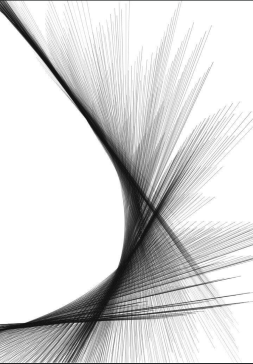
Random offset spline growth & length
-
I'm trying to create an animated version of something inspired by the image attached. I've got a starting point for the shape by using a Cloner set to Blend between lines. The issues I'm running into are:
- giving these lines random lengths. (I've tried the random effector but I can't work out how to scale in the right dimension.)
- randomly offsetting a growth animation. (I've tried baking a trim spline animation to an alembic and using a random effector with a time offset but this hasn't worked. At some point I think I encountered a bug where the randomness was present but then disappeared upon returning the timeline to 0.)
Is the cloner itself the issue? Maybe there's a formula I should be looking into instead? Any help would be appreciated.
-
Hi Millsy05,
Thank you for the file and the image!
I have set up an example. Please let me know what works for you and what does not. Like, there is a randomness in your image, but also a little bit of a pattern, or call it a local cluster. Is that a target point?
Example:
CV4_2026_drs_25_MGsf_01.c4d
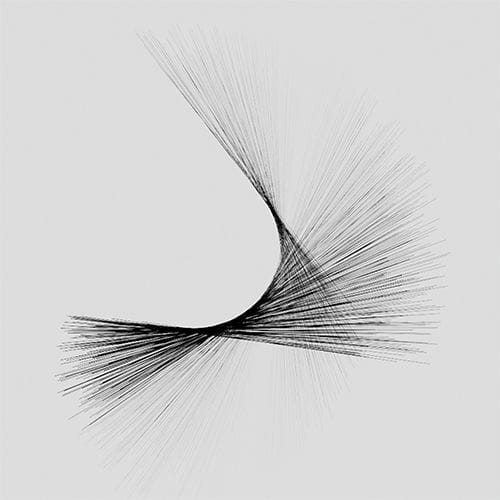
The settings are in the Random Effector (Effector, Parameter), but also in the Cloner (Object, Transform)
To get to the slight random line "drawing" I used the RS Tag (Curve), but each Line is different.
The Line Spline has only a different length for each child of the Cloner.
Adjust the Random Effector> Modify Clone
Let me know how that works for you.
Cheers
-
Hi Dr. Sassi,
Thanks for replying so quickly!
Your file has given me a lot of help in the art direction I'll need to develop my project further, so many thanks for sharing.
How would you go about animating this setup?
I need the lines to go from 0 to 100% with some variation, and when I tried using alembics and the random effector it didn't seem to work.
Thanks
-
You're very welcome, milly05,
I explored if I could recreate possible problems with Alembic, but I’m not clear what I'm missing. I had no abc file in your file from above.
Please have a look at the files below (Archive)
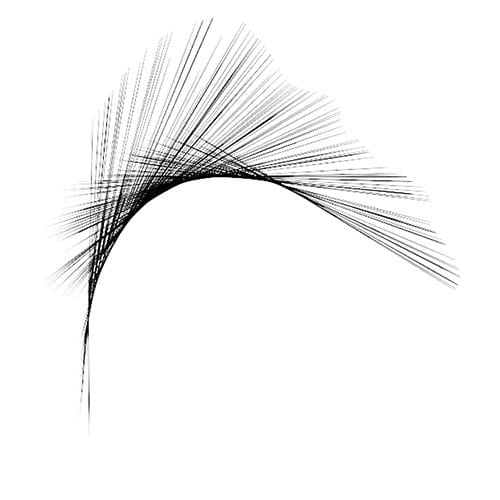
https://projectfiles.maxon.net/Cineversity_Forum_Support/2025_PROJECTS_DRS/20251212_CV4_2026_drs_25_MGsf-11-21-31.zipFiles 11 and 21 use just a Spline-Line-Primitive. In file 31, I turned the Line-spline into an Alembic. The abc file is included. If you need to use Alembic, I hope file 31 allows for a starting point to exchange ideas.
My best wishes.
-
Thanks for these new files Dr. Sassi, once again very helpful to dig into.
What is the Random.Blend in file 31 used for?
Also, I've seen you were offsetting the alembics within the file parameters itself. The method I was originally trying to use is shown in this video: https://www.youtube.com/watch?v=UYJ2orFw95w
My goal was to have each line with its own unique timing although to be fair it's not crucial. However, the idea of the motion is to have the lines draw on and then draw off.
Here's a link to the alembic I was using: https://we.tl/t-R8GqArj9Yj
Cheers
-
Thank you for the reply, millsy05!
Thank you as well for the file. You need to reconnect this with the files 11/21 below.
The Blend Option has a few parts that work together. It needs something to blend, meaning two or more Child Objects with the same parameters, like in the example …_01.c4d below: The cube parameters for each child object differ, the Mode>Blend in the Cloner uses those identical parameters to blend among the different Values of them.
CV4_2026_drs_25_MGmc_01.c4d
In case of no further information, it creates the number of clones requested and blends continuously from start to finish.
However, the Effectors have a Parameter> Modify Clone option typically. When set to 100% the full result of the Effectors is used.Since I write in a forum, I like to add that for anyone reading along, the Effector parameter works fully when the result of the Effector is 1.0. If you type in the Formula Effector field a 1 and nothing else, it behaves like the Plain Effector. IF the Formula field receives an entry of a single 2, then the values of the Parameters are set to double, like the Position P.Y., when set to 25, results in clones going up 50.
Back to Blend. If you look at two Child objects the the first has zero Blend amount, and progressively, the last one, the second here, is 100%. IF you produce 3 Clones, then the middle one is an average of the two, as long as the parameters match.
There are sometimes exceptions, where it can’t blend, like in some Tags attached to it.
CV4_2026_drs_25_MGmc_11.c4d
After you have explored …_11.c4d, based on what I wrote above, open the …21.c4d file and press play.
CV4_2026_drs_25_MGmc_21.c4d
When you have a good idea of what happens, enable one and then the other Random effect, then both at the same time.Is the concept of Blend now something you see as useful for your project? If you have more questions about this, please ask! If there is a new theme, please feel free to open a new thread to keep things organized. Thank you.
Cheers
-
Thank you so much Dr. Sassi, this has been a great help!
I'll definitely be using that Random Blend going forward; in file 21 changing the alembic playback mode to Loop as well has given me a very nice line movement to develop on going further.
Much appreciated, hope you've had a good weekend and a great week ahead.
Cheers
-
You're very welcome, millsy05!
It was fun looking into your idea. Thank you very much for the feedback.
Have a great weekend as well.