Scene Nodes and Fields?
-
Hi, I would like to achieve something like this: https://www.youtube.com/watch?v=vUT6Ps0nTP8
But I need to extrude complete polygon islands of a polygon selection tag rather than individual polygons. It's possible with the Bevel object. But I can't find a way to influence the size of extrusion by a vertex map or field. Was trying to use scene nodes but don't really understand its logic. There is no clear documentation and node names, structure, etc, seem to change in every version. So it's hard to figure out a solution, or evaluate whether it is even possible. Thanks for any hint!
-
A workaround would be morphing (controlled by a field) between the zero extruded and extruded object. However, I was hoping there is a more convenient solution...
-
Hi reading-card,
How about using the "Capsule" Scene Node Deformer from the Asset Browser?
I have used a Linear field to define the Selection (any fixed/stored selection works as well), and the Spherical field to operate the Field Driver value to set the Extrude Value. (It can, of course, work without the Field Driver; this is a suggestion). The Use Island check box is on.
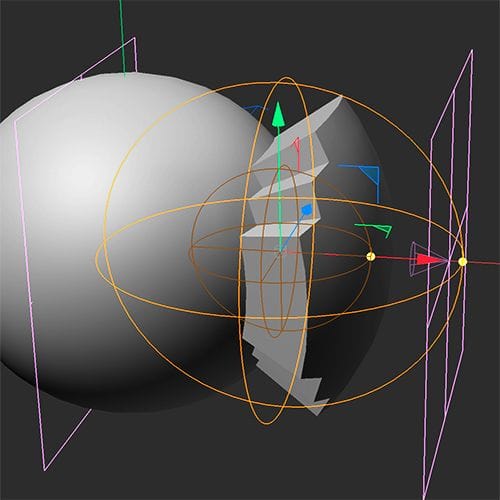
Is this working for you?
All the best
-
Thank you for the example.
I am looking for something similar to the Maxon training tip video above, where the field/vertex map influences the amount of extrusion for individual polygons. Eg, a noise field would extrude some of the selected polygons higher than others. Your example extrudes all selected polygons evenly depending on the distance of the field to the centre of the mesh. -
Attached a test with a custom scene node to illustrate the approach. I had to duplicate the mesh and use morph (driven by a field) between the zero extruded and the 100% extruded mesh. Also, the extruded polygons appear quite messy. I am wondering if this can be achieved more elegantly.
-
Hi reading-card,
Your idea, Zero Extrude and morphing, is perhaps the most approachable way, while the zero amount of extrusion might show Phong artifacts.
After having searched "all" tutorials that cover Scene Nodes to my knowledge, none had an Extrude with Group selection, while each individual point would follow the Field Value separately.
I have attached a demo scene. This is a file to showcase what happened when polygons are elevated differently, as they share points. Again, this is not a production suggestion, just a demo.
I will check more and ask around, as I can turn single posts into Scene node instructions. So far, I was told we handle those for TDs with coding backgrounds. I hope I can find a simple setup.
Here is the Demo-file, green → points; red→ Polygons
All the best
-
Thanks for the Demo. The Plain deformer is reliable, but it doesn't extrude in terms of creating new edges and subdivisions. It's strange that scene nodes are not supporting fields in that context. I thought it is supposed to be modern, node based approach of Mograph's modular system, but seems less functional than the old MoExtrude and incompatible with fields. Thanks for checking! Really curious if there is a solution...
Btw, do you know if there is a more procedural Morph setup? At the moment, I need to exchange/bake the two meshes and reinitialize the morph tag every time I want to apply the effect to a different mesh topology or selection. I was trying to use Instances, so that I only need to change the source mesh once, but that doesn't seem to work either.
-
Thank you, reading-card, for your feedback.
Please have a look here:
There is this yellow "Flask", and the term experimental. In addition to that, the number of Nodes has steadily grown, while the way to work with those has been optimized along the way. Long story short, it is in progress.

As mentioned, the file was a demo, not a suggestion for production. The Plain Effector shows in an easy way what happens if a polygon-driven change affects a Group. Is that unavoidable? Surely not, with a lot of care, I believe… Which brings me to the point of your request, to have a convenient solution. Which means that the convenience is in the use, not the setup of the tech, and that requires using the "Share Your Idea" here:
https://www.maxon.net/en/support-center
… and ask for a Capsule that does exactly that, Selection-based (Group) Extrusion, while adjustable impact on points by fields as single or in Combination of Fields.(Yes, I have asked Noseman for input, who is surely the in-house ambassador for Nodes)
All the best
