CINEVERSITY

    Maxon Logo
    • Login
    • Search
    • Recent
    • Popular
    • Users
    • Groups

    Object orientation

    Question & Answers
    2
    5
    52
    Loading More Posts
    • Oldest to Newest
    • Newest to Oldest
    • Most Votes
    Reply
    • Reply as topic
    Log in to reply
    This topic has been deleted. Only users with topic management privileges can see it.
    • A
      attempt-advertising last edited by

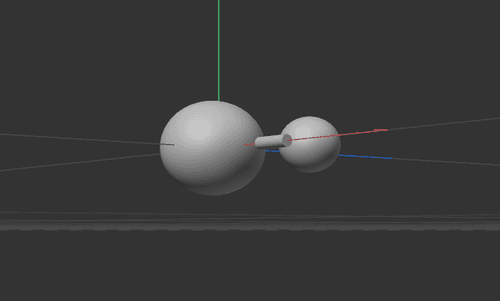
      In ' Getting started with Cinema 4D' - I'm in lesson 4 - 'Intro to deformers'. I have a cylinder and a sphere, (crab body and arm) but I cannot make my cylinder horizontal straight across the page using the orientation buttons. And now that I've cloned the first sphere it lies behind the cylinder. The cylinder lies horizontally at an angle. How do I resolve this?

      noseman 1 Reply Last reply Reply Quote
      • noseman
        noseman @attempt-advertising last edited by

        @attempt-advertising
        I'm sorry but without some sort of visual reference or the file I'm unable to help...

        1 Reply Last reply Reply Quote
        • A
          attempt-advertising last edited by

          problem image.PNG
          3D Test.c4d

          Hi there! Here's the file and an image.... and the below is how the illustration on the video sits.
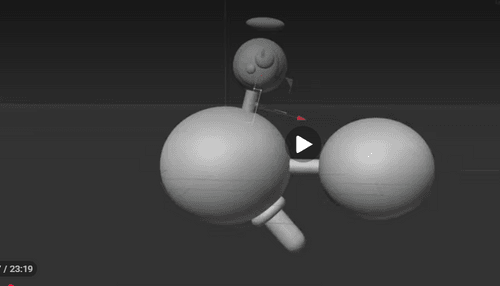
          correct image.PNG

          1 Reply Last reply Reply Quote
          • A
            attempt-advertising last edited by

            I see what the problem is the camera perspective view of the page. All good thank you!

            noseman 1 Reply Last reply Reply Quote
            • noseman
              noseman @attempt-advertising last edited by

              @attempt-advertising

              I see what the problem is the camera perspective view of the page. All good thank you!

              I'm glad you found the issue.
              Good luck with your journey!

              1 Reply Last reply Reply Quote
              • First post
                Last post