Controlling Sweep End Growth with a Slider Control
-
I'm currently working on making a functioning pie graph. I have a object built to control a text object to display percentage via slider control. This works well. However, when I attempt to connect a node for the "End Growth" of a Sweep object, I can't seem to get the expression to work properly. The value stays at 0 and then when I move the slider to 1, it switches the value of the sweep object's end growth to 100. What am I doing wrong?
Link to project file:
https://author-p160162-e1749154.adobeaemcloud.com/linkshare.html?sh=e8d7c3f5_949b_4bea_a028_ad613ae2fbcc.KwKiozgjVyH1bE9CJfazKLD9YksC6q5u_KjwgWJ5He4 -
Hi ASeifried,
Thank you for the file and for using Adobe Cloud.
Here is your file back:
CV4_2026_drs_26_XPpc_01.c4d
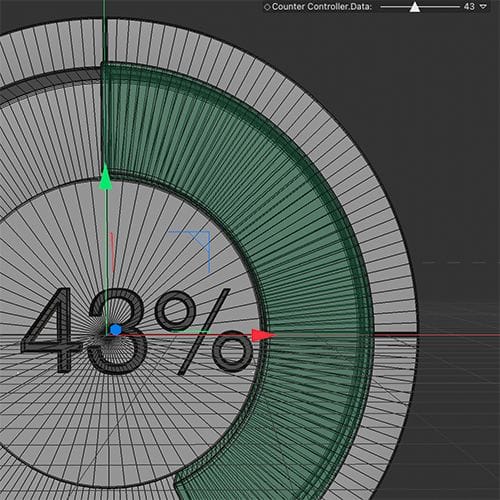
A short report of the changes:
The font was not included; perhaps the size adjustment is not a fit for your font.
I have set the 0-100 to 0-100% (Per-cent = 100/100). I used multiply here - x 0.01. A habit, as it is safer.
Added a little Add> String to it as an idea, so you can do it with one Text Object
The HUD element in the view can be removed with a right mouse click, and "remove'Let me know if something else is needed.
All the best
-
Thanks for the help, Dr. Sassi! This works perfectly. I need to expand my knowledge base in this subject. Coding and expressions have always been a challenge for me.
Thanks Again!
Andy
-
Thank you, Andy.
I learned Xpresso node by node, playing with it.
The typical suggestion would be:
What is in the "wires", knowing the formats, Real, Integer, Vector, to start.
Then pick some nodes and mess around. You know that everything has a learning curve, so take your time.
When hitting a roadblock, please ask! I learn from questions as well. So, never a waste of time for me.Enjoy
