Thanks for the help, Dr. Sassi! This works perfectly. I need to expand my knowledge base in this subject. Coding and expressions have always been a challenge for me.
Thanks Again!
Andy
Thanks for the help, Dr. Sassi! This works perfectly. I need to expand my knowledge base in this subject. Coding and expressions have always been a challenge for me.
Thanks Again!
Andy
I'm currently working on making a functioning pie graph. I have a object built to control a text object to display percentage via slider control. This works well. However, when I attempt to connect a node for the "End Growth" of a Sweep object, I can't seem to get the expression to work properly. The value stays at 0 and then when I move the slider to 1, it switches the value of the sweep object's end growth to 100. What am I doing wrong?
Link to project file:
https://author-p160162-e1749154.adobeaemcloud.com/linkshare.html?sh=e8d7c3f5_949b_4bea_a028_ad613ae2fbcc.KwKiozgjVyH1bE9CJfazKLD9YksC6q5u_KjwgWJ5He4
@Dr-Sassi I did submit my question but unfortunately did not get an answer. I still can't believe what a challenge this has become.
What if we simplify this equation and remove everything except for the badge, swivel and the ribbon? We can take it down the the most basic components.
@Dr-Sassi Hi Dr. Sassi,
Thanks for digging into this mess of a project. I've been wracking my brain on it as well. I find tutorials here and there, but the solutions don't quite fit the issue.
I did make some progress and got the dynamics working on the swivel. I'm not really sure if that will help our situation much, but its something.
Again, thank you for taking the time to help solve this issue. Worst case scenario- I can simplify the lanyard.
Would you have any ideas why each time I try using the rope tag it keeps falling through the floor no matter what the set up?
Thanks,
Andy
@Dr-Sassi You should have permission to access the file as an editor now.
HI Dr. Sassi,
Thanks for getting back with me and for the sketch upload. I'm looking forward to checking it out once I return to the office.
In the meantime, here's the link to my file. Please let me know if this works.
https://drive.google.com/file/d/184tlIKT0M_7zCM4qS37Jpm5ooF_32tia/view?usp=sharing
I'm attempting to make this lanyard model dynamic. I'd like it to be able to blow in the wind and fall on the ground naturally. Preferably badge first.
Can I get some guidance on how to efficiently achieve this? There seems to be multiple approaches to this problem and its getting confusing.[Lanyard_2.c4d] error
@Dr-Sassi Thanks again! This worked well!
Hi Dr. Sassi!
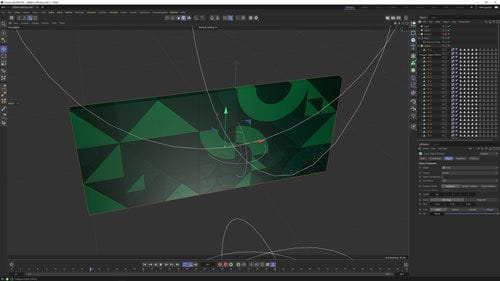
Thanks for the quick response. Throwing the shapes in the Fracture object worked out well! The only other element I need to figure out is how to retain the original colors of the shapes. I'll go ahead a post a project file so that you can see what I'm talking about.
Project File
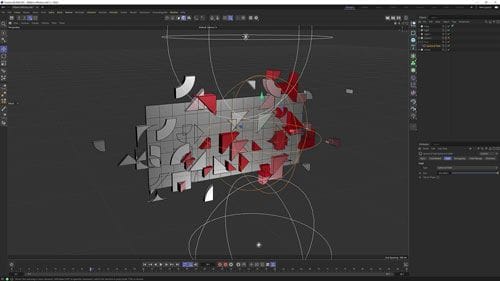
I'm working with a massive, pre-designed vector pattern. I want to use effectors for the animation and I'd like to keep the pattern in its original layout.
I used a cloner object set to "Object" mode to get individual movement on the clones with a plain effector, but it redistributes the clones, breaking the design. Everything else I've tried sees the pattern as a single clone.
What step am I missing here?