Rotation order - set default
-
Hi,
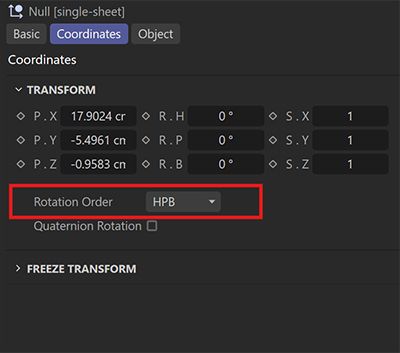
is there option to set default Rotation Order from HPB to XYZ?Thanks!
-
@wing-bend
no option as far as I know, but you could save each object type as a preset with XYZ selected.
Here's how to do it:- Add a cube, or a mesh object or any other type of object in your scene.
- Set Order to XYZ
- Right Click on "Rotation Order" and "Save Selected As Preet..."
- Name it appropriately
- Find that preset in your Asset Browser and add it to your UI or a palette.
- Save your layout or palette
From now on you can select any of the presets instead of the default objects.
You could also make your custom layout with your new objects instead of the default ones. -
Noseman, thanks for your replay and for the tip.
Would you be able to request the addition of a specific feature from the developers? It doesn’t seem like a complex task, but it would greatly help in everyday work.
-
.. It doesn’t seem like a complex task...
I learned never to say that to a developer

It's better if you report it as an idea. -
you are right!