Domino simulation endlessly sliding
-
Hi all,
I'm trying to create a domino simulation but I find that rather than coming to rest once they've fallen, the dominos endlessly slide across one another, desperately seeking the floor. After searching for similar problems online, I've altered every parameter suggested, but nothing solves it. When watching tutorials with a similar approach, the simulations take place very quickly and end abruptly—the trouble is, I want to show a large area of dominos which will probably take a half minute to fall. So Deactivation parameters don't seem to be useful, unless I were to make the clones editable and edit the Timer of each one—yikes! I've created a pared down file with default parameters for the simulation tags. Please let me know if there's anything that can be done, thanks! Domino Animation.c4d -
Hi south-bunch,
Thank you very much for the file. The core problem with those continuing contact after collision setups is that anything that would stop the movement after collision would prevent a nice collide and fall. That is a balance among most values.
The key for me is to see what allows energy to be inherited by others and what will take it, e.g., dampening is an energy absorber.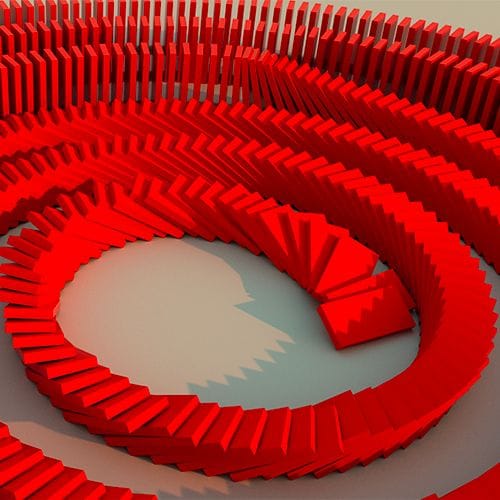
In the Scene Settings (Attribute Manager)
• Scene Scale 5cm
• I switched the Draw on to see it, and I removed the red materials.
• Substeps and Iteration, consider exploring small amounts of Smoothing Iterations, perhaps not a big advatage.
• To consider Collision passes.
• Dampening 10% (Which takes more energy out of the system)
• When I had everything stable, it took too long; instead of changing everything, I used the Timescale to meet the Project settings 2xIn the Sim-Tags
• I would encourage avoiding setting the Collision shape to NOT be left on Auto.• Explore Friction, also here, which is a balance between too high and too low. Both contact areas need to have the same value.
I hope that gives you the results you are after. Let me know if there is anything else to explore. I’m happy to look into it.
Of course, when all is to your liking, cache it.
Here is the file back.
Let me know how it goes.
CV4_2026_drs_25_SIdc_03.c4dAll the best
-
@Dr-Sassi thanks very much! That does seem to have fixed it, and your explanations are very helpful. Time scale is something I hadn't explored before, and I can see how useful it can be. Thanks again!
-
Thank you very much, south-bunch, for the feedback.
My best wishes for your project.
