Mograph Randomize Help Needed, Please.
-
Greetings!
I'm trying to build a somewhat complex structure, primarily with various Mograph components.
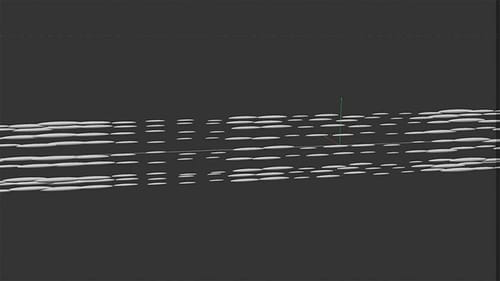
In the (attached) simple scene, you can see two MoG Objects; I'd like to be able to add randomness to the position and size of the clones, but have that randomness also be random, on each of the "strands". As it stands now, when I add randomness to the "One Strand" Mograph object, that still becomes a consistent and obvious pattern, in the "All Strands" Cloner. So, is there I way that the randomness can be, for a lack of a better term, random for each of the subsequent clones within the "All Strands" master cloner? I'm sorry of this is confusing...Thanks
-
Hi entry-newspaer,
Thanks for the file.
Here is your file back. The Noise type is changed, and since that is an animated version in the Random Effector, the Speed is set to 0%.
CV4_2026_drs_26_MGcr_01.c4dThe gaps between the elements might not be what you like (wild guess), so I made a second version, which produces equal gaps.
CV4_2026_drs_26_MGcr_11.c4d
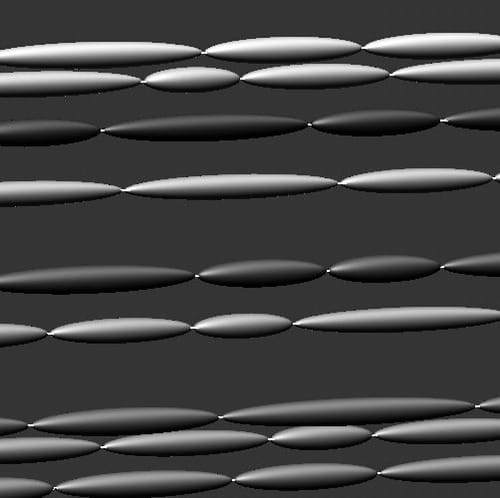
Please let me know if that works for you.
All the best
-
Hey, thanks, Dr. Sassi!
I believe that your first solution, is what I'm after. I often forget to experiment with the effector random modes; but those offer quite a bit of control over how and what is effected by the randomize. -
Thank you for your feedback, entry-newspaper.
My best wishes for your project.

