How to Ignore Floor Collision for One Particle?
-
Hello, I have a question. I am simulating two particles, one blue and one red, dropping onto a protrusion in the middle. I want the blue particle to roll on the floor as usual, but the red particle should pass through the floor and fall below. Is there a way to make the red particle ignore collisions only with the floor, while still interacting with other objects? Thank you in advance for your help.
-
Hi kana,
Please have a look here:
CV4_2026_drs_26_PAbr_01.c4dI have used the Particles for the Simulation, and left MoGraph clones for the visuals only.
For that, the Particles needed a larger radius.
The Specific Particle Collider object can be used group-wise.
That means when a Particle can be moved from a Collider Group to a non-Collider group, then we have the first step for the effect you are after.The switch here is based on the Field, but it could be done with the Plane, but it would need more points, or it would get less precise.
Since the Particles switches groups, the problem is now that the Cloner can use only one Group.
To remedy this, the Multi Group option is used, which can contain more than one group.I made the sphere larger and overlapped the Emitter to showcase it better.
I hope that helps
Cheers
-
Thank you very much for your quick response!
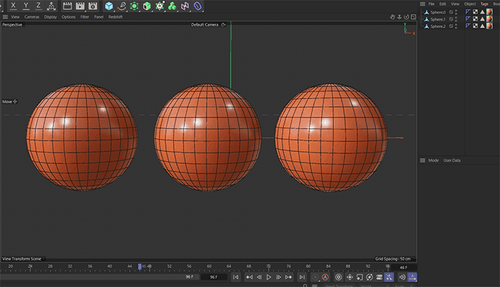
I have opened the file you sent, but it appears to only contain three spheres arranged next to each other.
Am I looking at the correct setup?Could you please advise on how I should proceed from here?
-
Hi kana,
Here is the file discussed above:
CV4_2026_drs_26_PAbr_01.c4d
Please let me know if anything is not clear. I'm happy to look into it.Sorry about that mix up. The file was wrong, you are correct.
Cheers
-
Wow! This is amazing! Thank you so much!!
It’s exactly what I was hoping for. You’ve been a huge help!By the way, is it possible to achieve a similar effect when dropping a sphere without using particles?
-
Hi kana,
Thank you again for your file
Thank you as well, for your kind feedback.
Yes and no. Yes, when the spheres do not interact with each other, no, when they need to interact as well with each other.
The key is the Simulation Scene. The default one is always in the Attribute Manager> Mode> Scene> Simulations, and more can be called up in the Main Menu> Scene.
There is no direct interaction between two Simulation Scenes, or among many. Here is the No of my reply grounded.
More about:
https://help.maxon.net/c4d/2026/en-us/Default.htm#html/OPBDSCENE.htmlPlease note that is sadly my last reply in this forum, I will not be able to answer more. I hope a good friend of mine will take over.
My best wishes with your project
-
@Dr-Sassi
Thank you so much!! -
You're very welcome, kana!
Enjoy!
