How to recreate a proximal shader effect in Redshift?
-
Hello, just as the title says, I want to create something like a proximal shader in Redshift. I want to effectively mask out parts of my models using masks as an alpha shader.
It would be a bonus to be able to use fields instead of a point for the shader. I know how to use vertex maps + fields to achieve a similar effect, but there is a key issue with this method:
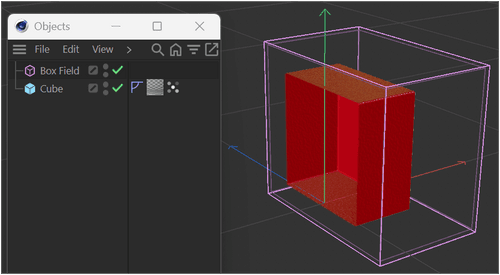
For this method to work, the Vertex map tag needs to be added onto every single item that you want it to affect. If I add the vertex map to a top group / null in a hierachy, it only affects the actual object, not the children. The issue being:
- I'm working with large models, in excess of 100,000 items. It's not practical to manage vertex tags on them all.
- I'm working with a lot of xRefs where parts are imported from other projects. Any modifications to xRefs are lost when re-opening a project, including any tags I add.
The bonus with the proximal shader is that it only applied to materials. I could define the proximal origin as a null, create the proximal shader in the alpha channel, and copy it to all materials. Then using the the point, I could mask out areas of my scene.
Any thoughts please people?
-
Hi atomician,
Please have a look here.
The Main project
CV4_2025_drs_25_RSds_01.c4d
The XRef
CV4_2025_drs_25_XRef_01.c4dThe colors are here to see that this setup works independently for each object/material combination, but in concert with any object, in the scene or XRef.
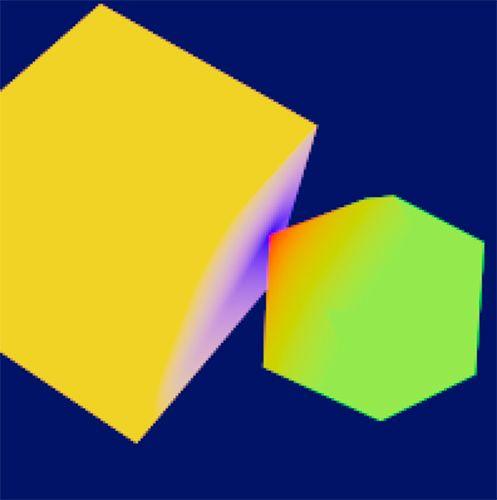
Set the colors to black and white and eventually use a Ramp to define the progress.Please test this carefully, as I have not used this in production with XRefs nor with 100K items.
My best wishes for your project.
-
Thanks Dr. Sassi! That looks interesting, I'm going to be playing around with this today to see if I can get it to work on my scenes!
-
Thank you very much for your reply, atomician.
My best wishes for your project.
