Hi grocery-state,
Thanks for your input; everyone needs a different style and answer. If you have a question, please let me know what you prefer as answer, and as far as possible, I will provide this for you.
The question was about background, and with default it would have worked. If I had a file from him, that would be part of my reply. I did not get one, hence I couldn't even think that it was set up differently, while the changes are not shared. So, I should list all possible options in every single post, if I get your drift and you reply correctly. That would be a long post each time.
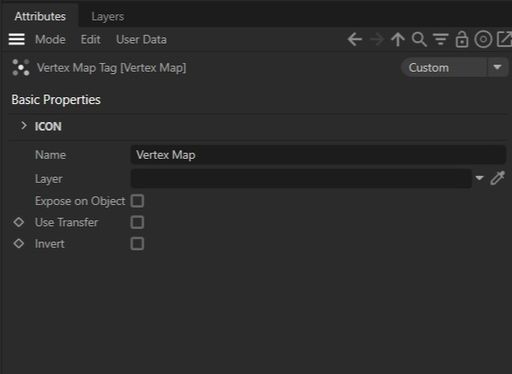
The most effective is working with files. Again, it doesn't work with everyone, but it can be stored and revisited, adding to learning retention. Images have a low level of information. However, to answer your question, an image might work the fastest, for this case:
Screenshot 2025-01-09 at 10.11.21 AM.jpg
Learning is individual, a standard knowledge in education. I get that – an answer is hard to find if not "coded" in the way one likes to have it.
To answer in all options is, for most people that would be too much, as the unwanted parts are seen as noise. E.g., "I need a short answer, why do I have to go through all of that?".
For example, sharing the link to the Manual:
https://help.maxon.net/c4d/2025/en-us/Default.htm#html/5852.html?TocPath=Views%2520and%2520Viewports%257C_____1
Have you found the answer here? Scroll down.
The answer variation is typically given in a file or text description and sometimes as a short screen capture. It depends on how the question was asked, which is sometimes not easy to analyze.
Using just the project file is based on the Explorative Learning Theory, which is sometimes the most effective way of creating a long-lasting effect.
Just telling what it is leading to the false impression of "I know that", for that moment it might be clear, as it might never leave the short term memory, it is not able to create any entry in the long term memory, which means it is often a waste of time just to write it in text. However, doing this has always been a good idea for beginners when I need the scaffolding learning theories in combination with the cognitive load theory. Here, I am aware that it will create, at one point, a follow-up question or a revisit of the forum. Sadly, the last forum had to be closed due to external issues.
I have explored extensively over the past 20 years what works and what doesn't, while I'm also aware that everything is changing constantly. Especially now, we see a huge shift, and education will be shaped differently in the next years.
In short, to serve all Cinema 4D artists as much as possible in the way I got the most feedback over the past two decades, I select each time what I hope will fit best, and if that doesn't work, I am happy to use a different route. There is no one-size-fits-all, never has, never will; we are all different and have different needs.
Enjoy.